Comments
Comments
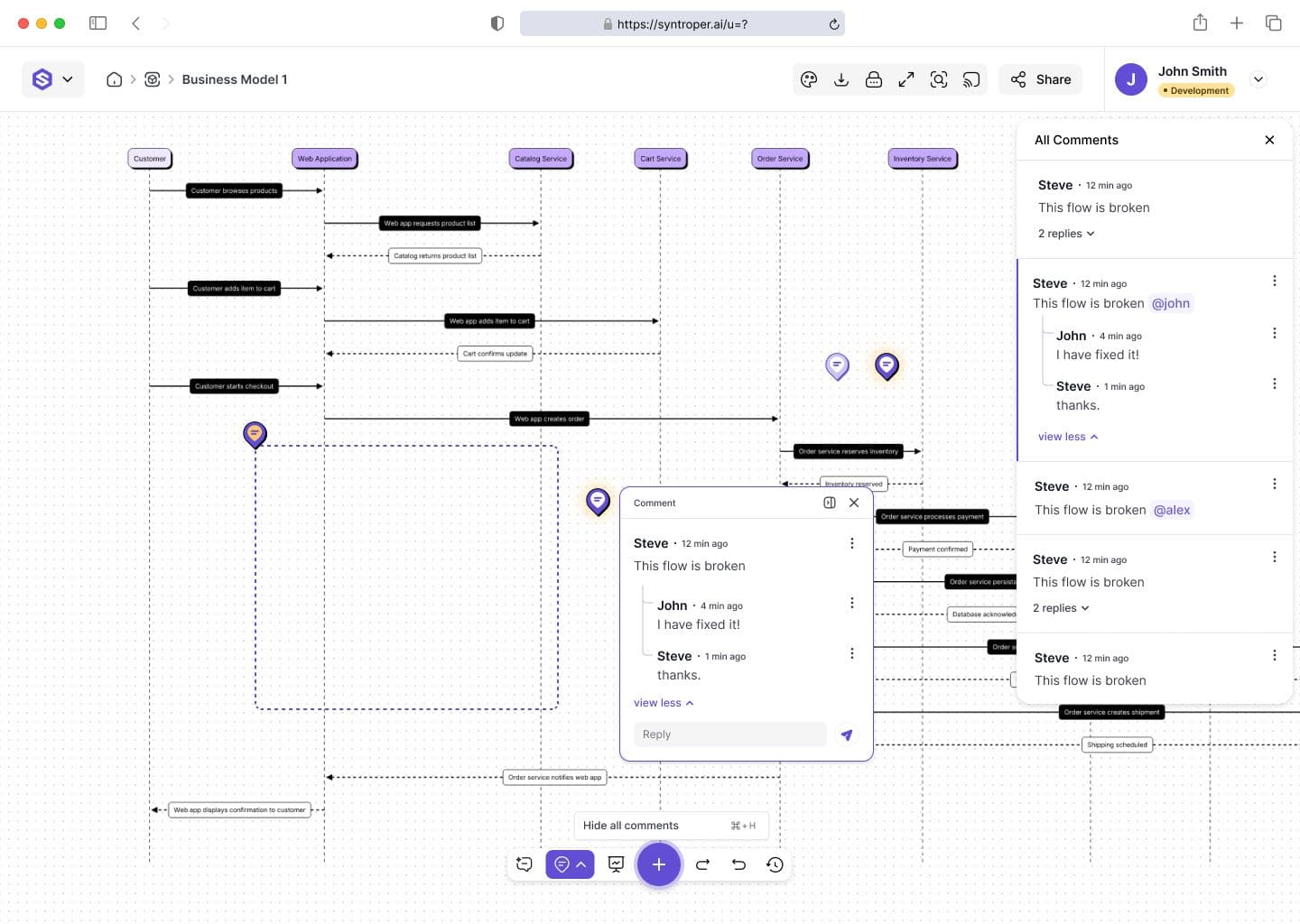
Comments allow users to leave feedback directly on diagrams, making collaboration contextual and easy to follow. Instead of relying on external communication tools, feedback stays tied to the relevant architectural elements.
Users can comment on specific nodes, flows, or entire diagrams, ensuring clarity during review cycles.
Adding Comments
Comments can be added directly within the diagram editor.
- 1
- Select a diagram element or canvas
- 2
- Click the Comment option in the floating action bar or use shortcut “CMD + C”
- 3
- Write feedback or questions
- 4
- Post the comment to attach it to the selected area
Changes apply instantly within the current account environment.
Tagging Team Members
Users can tag teammates inside comments to notify them and request input.
- Use @username to tag a collaborator
- Tagged users receive notifications
- Conversations stay linked to the relevant diagram element
This improves response speed, accountability, and collaboration clarity.
Replying & Threaded Discussions
Comments support threaded replies, allowing teams to hold structured discussions around specific architectural decisions.
Users can:
- Reply to comments
- Resolve discussion threads
- Reopen resolved comments if needed
This ensures feedback remains organized and traceable over time.
Last updated on February 17, 2026