introductionCore FeaturesDiagram with Codebase
Diagram with Codebase
Diagram with Codebase
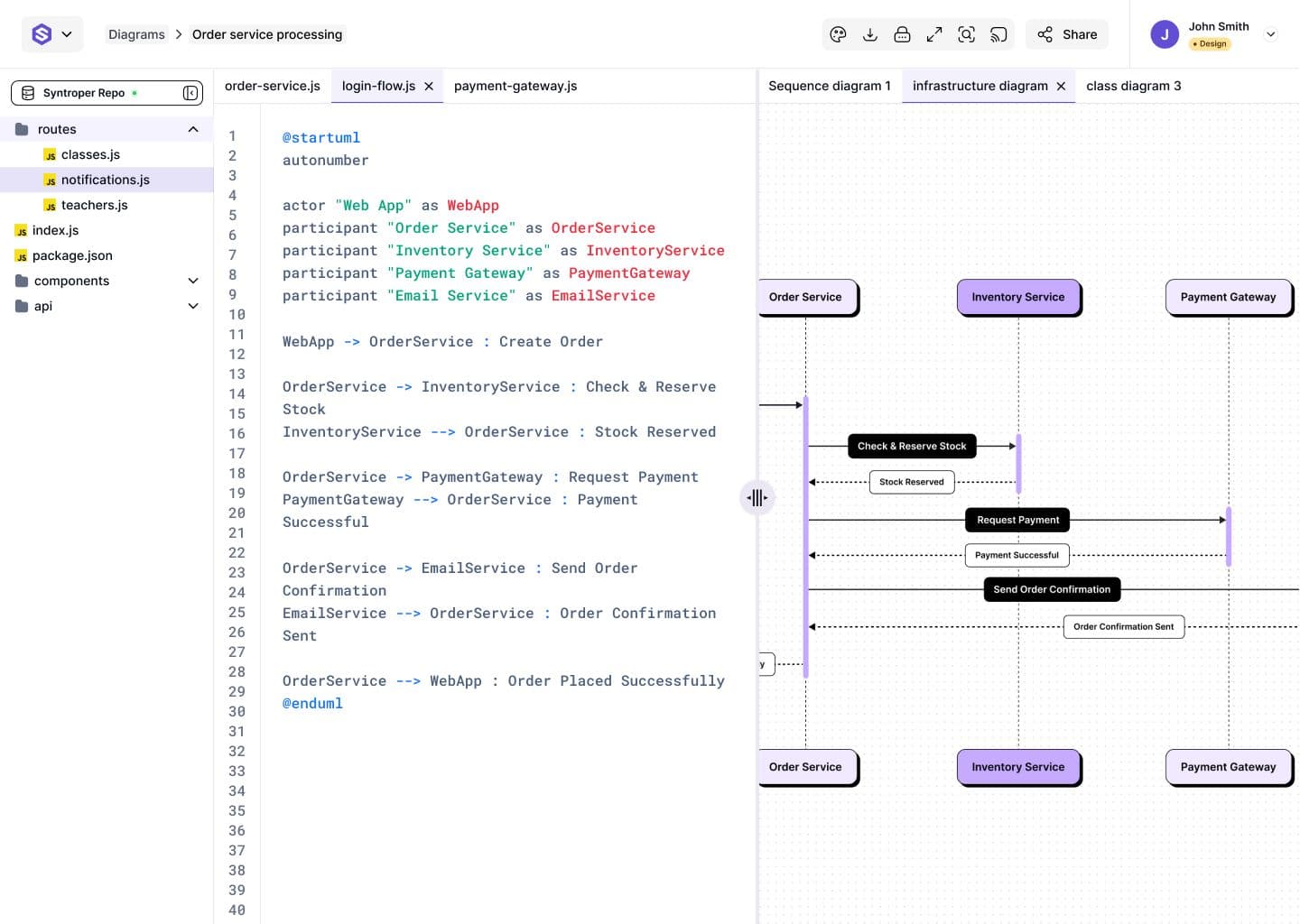
This mode enables users to generate diagrams from an entire repository or connected codebase, such as GitHub or cloud-hosted projects. It provides a split-screen interface, showing the code on one side and the generated diagram on the other.
Users can resize panels depending on whether they want to focus on architecture visualization or code inspection. The generated diagram remains interactive and editable with AI support.
How it works:
- 1
- Connect or import a repository
- 2
- AI scans files and detects system structure
- 3
- A high-level or detailed architecture diagram is generated
- 4
- Users refine diagram scope, layers, and granularity
This is particularly effective for large-scale systems, microservices architectures, and enterprise platforms.
Last updated on February 16, 2026