Navigate the Dashboard
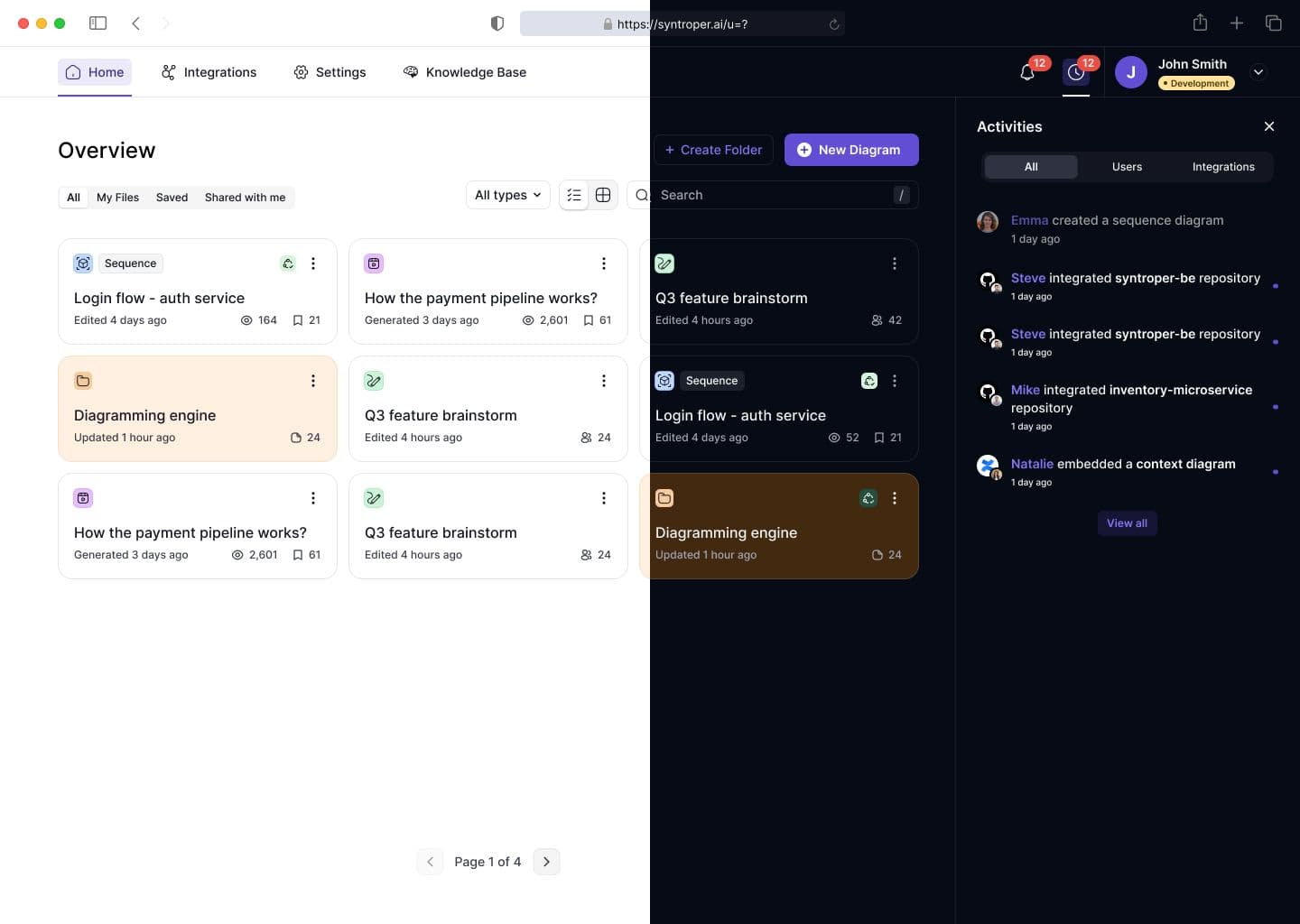
The Dashboard is the central control hub for your workspace. It gives you a real-time overview of activity, pending work, collaboration signals, and system updates.
At the top level, the dashboard provides access to core areas such as Diagrams, Architectural Stories, Architecture Solutions, and Business Models. It also includes global navigation for Integrations, Settings, and Knowledgebase.
The main dashboard surface shows an Activity Timeline that tracks user actions over time, helping teams understand changes, edits, and collaboration history. Below this, the Pending Actions section highlights issues that require attention, such as broken diagram elements, unsynced repositories, or incomplete metadata.
On the right side, users can toggle between the Activities Panel and Notifications Panel. These panels categorize events into All Activity, User Activity, and Integration Activity, making it easier to filter signal from noise.
The dashboard is designed to provide visibility, accountability, and quick access to important actions across your workspace.
Last updated on May 12, 2026